In this article:
What changed: Returning the balance when closing the wallet to a bank account costs 50 baht and is available through support no later than 15 business days. Receiving cash at a store carries a fee of 20 baht and a maximum of 5,000 baht; the rate has been in effect since September 14, 2026. Storing the balance of a closed account costs 20 baht per month. The service (TrueMoney) reports the use of contactless payment on buses of the city operator (BMTA); the launch on MRT turnstiles is expected in the fourth quarter and remains a plan.Updated: September 29, 2026
What changed: Registration approval arrives by SMS within 1–3 business days; until the SMS arrives, the service (TrueMoney) asks you not to carry out transactions. The monthly limit on transfers between wallets is 5,000 baht at the basic level and 50,000 baht at the extended level; the balance limit is 30,000 and 50,000 baht, respectively. From September 18, 2026, card payment (credit or debit) via QR for legal entities (QR Tag30) and at network stores (Lotus’s), excluding the online channel, is unavailable at the basic level; at the extended level, the monthly limit is 1,000 and 10,000 baht, respectively. The expansion of contactless payment (Tap-to-Pay) to buses (BMTA) and MRT is planned for the fourth quarter of 2026.
An e-wallet (TrueMoney Wallet in Thailand) can be useful for everyday payments if the operations you need are available on your account. For foreigners, the maximum balance is 30,000 baht at the basic verification level and 50,000 baht at the extended level. But the balance, daily or monthly turnover, and payment source are separate conditions: having enough money in the wallet does not mean that a purchase or transfer will go through.
A wallet does not replace a bank account. If you need a bank account specifically, see opening a bank account for foreigners in Thailand: it is a separate financial product with its own requirements.
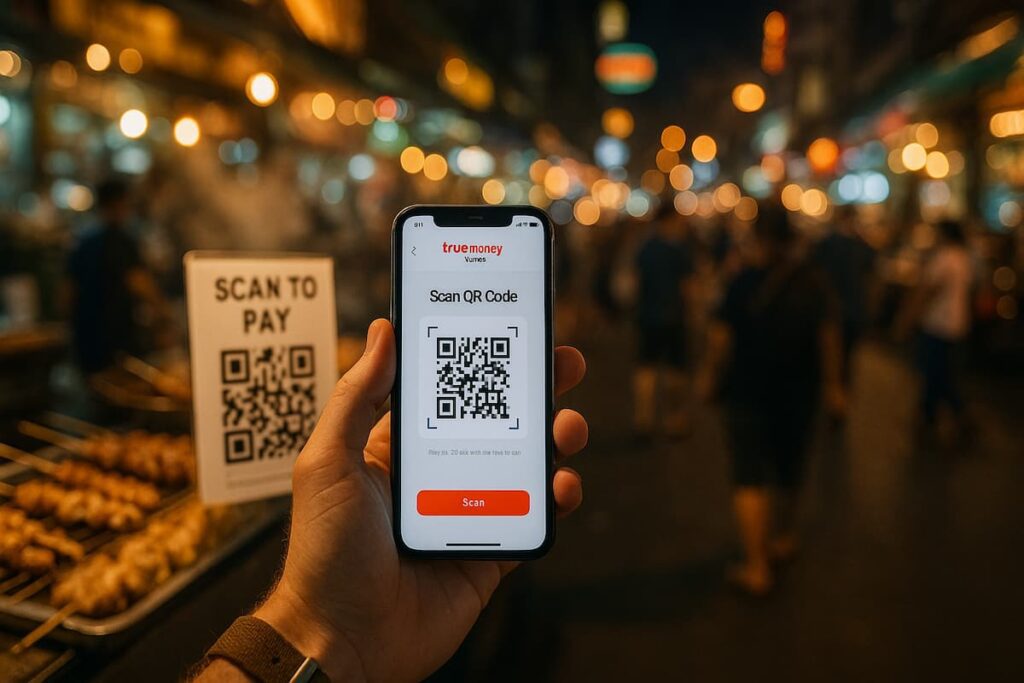
Current as of September 2026. Terms may change, and registration and the feature set are not the same for all tourists. Below, you will learn how to tell apart the restrictions, wait for approval, and choose in advance how to get your balance back when closing.
E-Wallet (TrueMoney Wallet) Limits for Foreigners
As of September 2026.
| Transaction | Source of funds | Basic verification | Extended verification | Period and conditions |
|---|---|---|---|---|
| Maximum balance | Wallet balance | 30,000 baht | 50,000 baht | Maximum balance, not turnover |
| Transfers between wallets | Wallet | 5,000 baht | 50,000 baht | Per month |
| Combined daily limit for the operations listed in the official table at the basic level | Depends on the operation | 30,000 baht | — | Per day; only listed operations |
| Credit or debit card payment via the QR code of a legal entity | Credit or debit card | Unavailable | 1,000 baht | Per month |
| Credit or debit card payment at Lotus’s stores | Credit or debit card | Unavailable | 10,000 baht | Per month; online channel excluded |
Values are published in the official table of limits for foreigners. A dash does not mean a zero limit or a ban on the operation: the numeric daily limit for the extended level is not given here.
For the basic-level daily limit, the effective date is listed as July 24, 2026. The corresponding extended-level footnote applies to users registered from March 3, 2026 onward; it does not replace the numeric value of the limit. Changes to the bank card payment lines take effect from September 18, 2026.
In practice, the difference is clear even without calculations. At the extended level, you can hold more money than you are allowed to spend per month in a separate card payment category. The balance and the permitted turnover are different figures: when choosing a limit, consider the operation, the source of funds, and the period.
Registration and identity verification levels
The official instructions of the service (TrueMoney) provide for scanning a passport or a Thai pink card. Approval comes by text message (SMS) within 1–3 business days. Until the approval text message (SMS) arrives, the operator asks you not to carry out transactions.
The confirmed sequence is as follows:
- Scan your passport or Thai pink card when registering.
- Wait for the text message (SMS) approving your application.
- Start transactions after approval, taking into account the features available on your account.
The terms of service for foreign customers separately list:
- the type of visa for residence in Thailand;
- place of residence in the country;
- electronic signature;
- a copy of a passport with a validity period of more than 6 months.
Documents from the registration instructions and the service requirements should not be mixed up. The mention of the pink card does not confirm that it replaces a passport in all cases.
The basic and extended levels have different limits. If you want to expand your account’s capabilities, check the requirements for the supporting document in your case: a Thai driver’s license must not be presented as the mandatory or only option. Scanning a document by itself also does not replace approval of the application.
How to top up your wallet and check linking a foreign card
As of September 2026, the payment service’s guide (Wise) describes cash top-ups ranging from 10 to 3,000 baht per transaction and up to 10,000 baht per day. This is information from a secondary source, not universal official limits for every account. Before topping up, check the current parameters of the method you choose.
With a foreign card, keep the tasks separate: linking it, topping up the wallet, and paying for a purchase with the card. Being able to link a card does not mean that other operations are available. Check whether a specific card is compatible with the function you need in the app or through support.
Don’t rush to add money. First, determine whether you will be able to use it for your purchase or transfer. There is no general promise here that any foreign card will work for a foreign user.
QR code payment: recipient and source of funds
Before paying, determine your account’s verification level, the recipient, and the source of the charge. A payment from the wallet balance and a payment from a bank card are different transactions. A limit on one of them cannot be automatically applied to the other.
Certain rows of the table apply to paying by credit or debit card via a legal entity’s QR code and at Lotus’s stores, excluding the online channel. At the basic level these transactions are unavailable; at the extended level, separate monthly limits are set for them. This is not a general ban on purchases from the wallet balance.
Before confirming, check:
- who is listed as the recipient;
- whether the amount matches the purchase;
- where the money will be charged from;
- which limit applies to the transaction.
A seller having a payment QR code by itself does not confirm that your account can pay with it. Also do not count on support for every QR code belonging to an individual.
Contactless payment (Tap-to-Pay): purchases, buses, and the subway
As of September 2026, the operator states that contactless payment (Tap-to-Pay) covers more than 900,000 payment locations in Thailand and more than 150 million locations worldwide. This information comes from an official announcement, not an independent check of every terminal.
The announcement also includes an offer of cashback of up to 5% of the purchase amount. This is the promotion’s maximum, not a promise of cashback to every user. Additional payment sources have been announced for October 2026; they cannot be considered already operational for every foreign account.
For transport, the statuses differ. According to the service (TrueMoney), contactless payment (Tap-to-Pay) is used on about 6,000 buses of the city operator (BMTA) in Bangkok. The launch directly at subway (MRT) turnstiles is expected in the fourth quarter and remains a plan.
So buses and the subway should not be lumped together under one promise of availability. The coverage announcement also does not guarantee that the feature is available specifically to your foreign account.
Fees: purchases, top-ups, and transfers
The operator states that for activation and annual maintenance of contactless payment (Tap-to-Pay) no fee is charged. For transactions in foreign currency, applicable currency conversion fees apply. The feature being free to use does not mean there are no costs for every purchase.
For a top-up, a regular transfer, or another transaction, check the final amount before confirming. The terms of one feature cannot be applied to the wallet’s other services. International purchases and money transfers also require separate checking.
Fees for returning the balance when closing are listed below. This is a separate procedure: its fee cannot be treated as the cost of a regular transfer to a bank.
Verification errors, account blocks, and changing your number
If registration has not been confirmed or access is restricted, start by checking what is shown in the app. The following sequence is practical advice, not an official unblocking procedure:
- Check whether the approval text message (SMS) has arrived.
- Compare the information you entered with your document.
- Read the app’s error message.
- If the issue remains, contact official support.
The registration approval period is not the same as the access restoration period. From a rejection message, you cannot reliably determine the reason or name in advance which documents support will require. Until the approval text message (SMS) arrives, the operator asks you not to carry out transactions.
Before you stop using your registered number, ask support how to change it. It is better to sort out access and the balance in advance, while the number is still in use. Do not treat this as a description of a specific route through the menu.
For related questions, see fraud and theft protection in Thailand and apps for travel and daily life in Thailand. These materials complement this guide but do not replace contacting support about your account.
How to get your balance back and close your wallet
As of September 2026, the service’s terms (TrueMoney) provide for returning the balance to a bank account when closing through support. The money is returned after deduction of applicable fees, subject to compliance with the terms of service, no later than 15 business days. The official fee for a bank refund is 50 baht.
A separate option is receiving the balance in cash at a store. The fee structure requires a request through the app and a visit to the store, a fee of 20 baht and a maximum of 5,000 baht. It has been in effect since September 14, 2026, by the Gregorian calendar; the fee is collected in cash at the service point.
A fee applies for holding the balance of a closed account with remaining funds — 20 baht per month. The fees are published on the service’s official rates page. Confirm the current terms and availability of your chosen method for your account before closing.
To plan your refund:
- Determine the amount of balance you need to get back.
- Choose a bank or cash option, taking its terms into account.
- For a bank refund, contact support; for cash, you submit a request through the app and visit a store.
- Sort out the refund before you stop using your registered number.
The bank refund deadline cannot be applied to receiving cash. A refund at closing is also not the same as a regular transfer from the wallet to an account.
The Bank of Thailand’s regulation separately provides for the return of e-money within 15 days of the request, provided the request meets the established rules and conditions. The operator specifies business days, while the regulator specifies days. These wordings cannot be treated as equivalent or used to promise a single deadline.
Alternative payment methods for tourists
Among the alternatives is a separate tourist payment service (TAGTHAi Easy Pay). It should not be taken as a promise of registration for every tourist or of the ability to make payments without a bank account. The terms of the alternative service also do not determine what the TrueMoney Wallet in Thailand can do.
Choose the method based on your task. For an everyday purchase, you need the payment to be available and a suitable source of funds; for a transfer, the terms of sending and receiving; for a foreign card, the compatibility of the specific transaction. The app’s name alone is not enough to make a choice.
If you need to move money between countries, see money transfers to Thailand. For a broader choice of financial tools, this will be useful: guide to finances in Thailand.
Frequently Asked Questions ❓
Can a foreigner register for the TrueMoney Wallet?
The official instructions provide for scanning a passport or a Thai pink card. The terms of service separately list the type of visa for residence in Thailand, place of residence in the country, an electronic signature, and a copy of a passport valid for more than 6 months. This does not confirm identical admission conditions for all tourists.
How long do I have to wait for registration confirmation?
According to the service’s (TrueMoney) instructions, approval comes by text message (SMS) within 1–3 business days. Until the approval text message (SMS) arrives, the service asks you not to carry out transactions.
What maximum balance is available to a foreigner?
The official table lists a maximum of 30,000 baht for the basic level and 50,000 baht for the extended level. This is the wallet balance limit, which should be distinguished from the daily and monthly limits on transactions.
What limits apply to transfers between wallets?
The monthly limit is 5,000 baht at the basic level and 50,000 baht at the extended level. The monthly limit should be distinguished from combined daily restrictions, and the footnotes of the official table should be taken into account.
Can a foreign bank card be linked?
Compatibility of a specific foreign card and availability of the needed transaction should be checked in the app or with support. Linking a card does not mean that topping up or paying with it is automatically available.
Is there a fee for contactless payment (Tap-to-Pay)?
The operator reports no fee for activation and annual maintenance. For transactions in foreign currency, applicable currency conversion costs apply. These terms do not describe the fees for all other wallet transactions.
Can you pay for buses of the city operator (BMTA) and the subway (MRT) with contactless payment (Tap-to-Pay)?
The service (TrueMoney) reports that payment is used on about 6,000 buses of the city operator (BMTA) in Bangkok. The launch at subway (MRT) turnstiles is expected in the fourth quarter and remains a plan. Availability of the feature for a particular foreign account is not guaranteed by the announcement.
What should you do if no text message (SMS) arrives after you submit your application?
The official approval period is 1–3 business days. Until the approval text message (SMS) arrives, you should not carry out transactions. If the period has passed or the app shows an error, contact official support.
How much does it cost to get your balance back when closing the wallet?
The official rate for a bank refund is 50 baht. For receiving cash at a store, the listed fee is 20 baht and the maximum is 5,000 baht; this rate has been in effect since September 14, 2026. Availability of a refund method should be confirmed for your account; these amounts are not the rates for a regular transfer.
What refund deadline is stated in the service's terms (TrueMoney)?
The terms for closing through support provide for a bank refund after deduction of applicable fees, subject to compliance with the terms of service, no later than 15 business days. This deadline applies to a bank refund on closing.
Can fees be charged after the wallet is closed?
The fee table provides for a charge for storing remaining funds in a closed account: 20 baht per month. That is why the balance refund procedure should be clarified before closing.
Conclusion
Using the TrueMoney Wallet in Thailand depends on the verification level, the source of funds, and the type of transaction. The maximum balance shows how much you can hold, while daily and monthly limits restrict transactions over the relevant period. So before paying, look not only at the balance but also at the recipient, the method of charge, and the applicable limit row.
Until the approval text message (SMS) arrives, the operator asks you not to carry out transactions. Before closing, choose in advance how you will get your funds back and sort out the balance, especially if you plan to give up the registered number. Terms, limits, and feature availability may change: before any transaction, check your account settings and the final amount.
Prepared by MyThai.online editorial team.